
The punch clock your crew will actually use.
Put a tablet on the wall. Your crew taps their name to punch in and out. You see hours and overtime from your phone or computer, anywhere, any time.
Up and running before the coffee is cold
Three steps. No calls, no sales pitch, nothing to install.
Create your shop
Your name, email and shop. Pick your pay day and shift times. Add your crew's names and rates.
Set up a tablet
Any iPad, Android tablet or Windows touchscreen. Open the clock page and type the 6-digit code from your office.
Crew tap their name
Punch in, lunch, punch out. Hours add up by themselves. You check them from your phone.
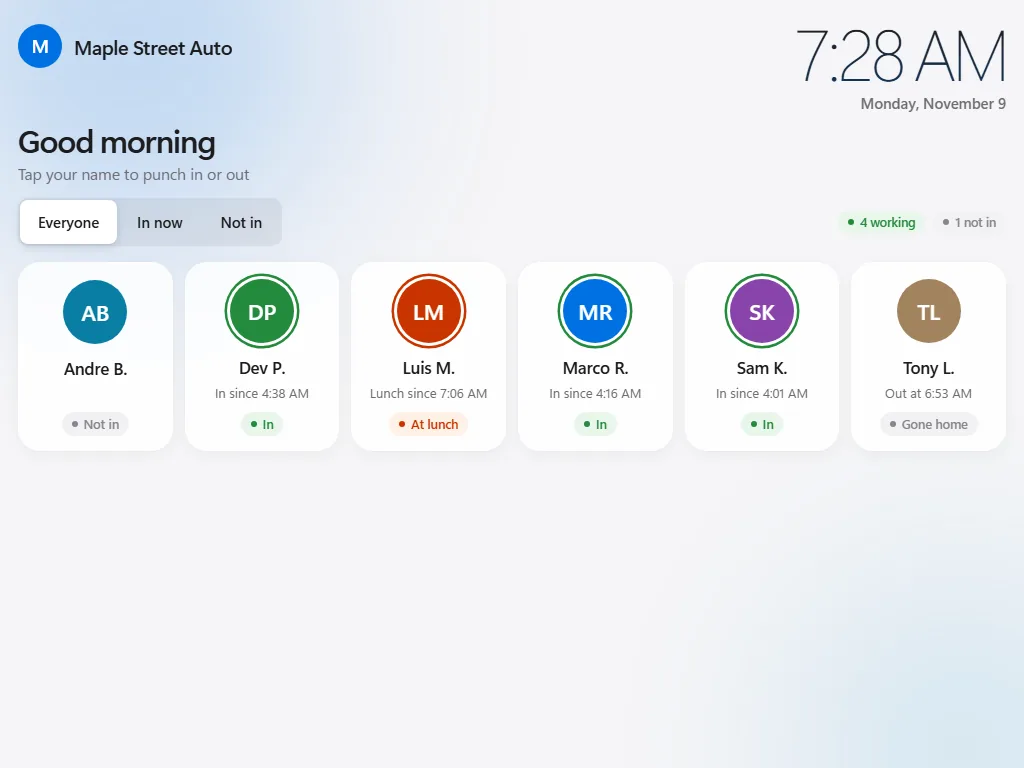
Big names, one tap. Nothing to learn.
Each person has a tile. Tap it, punch in. The screen shows who is in, who is at lunch and who has not arrived yet. It works on any tablet from the last several years, in the browser.
- Optional PIN so nobody punches for a buddy
- Keeps working when the internet drops; punches send later by themselves
- Uses the shop's clock, not the tablet's
- Your logo and a greeting, if you like
Every punch, by pay period, on any device.
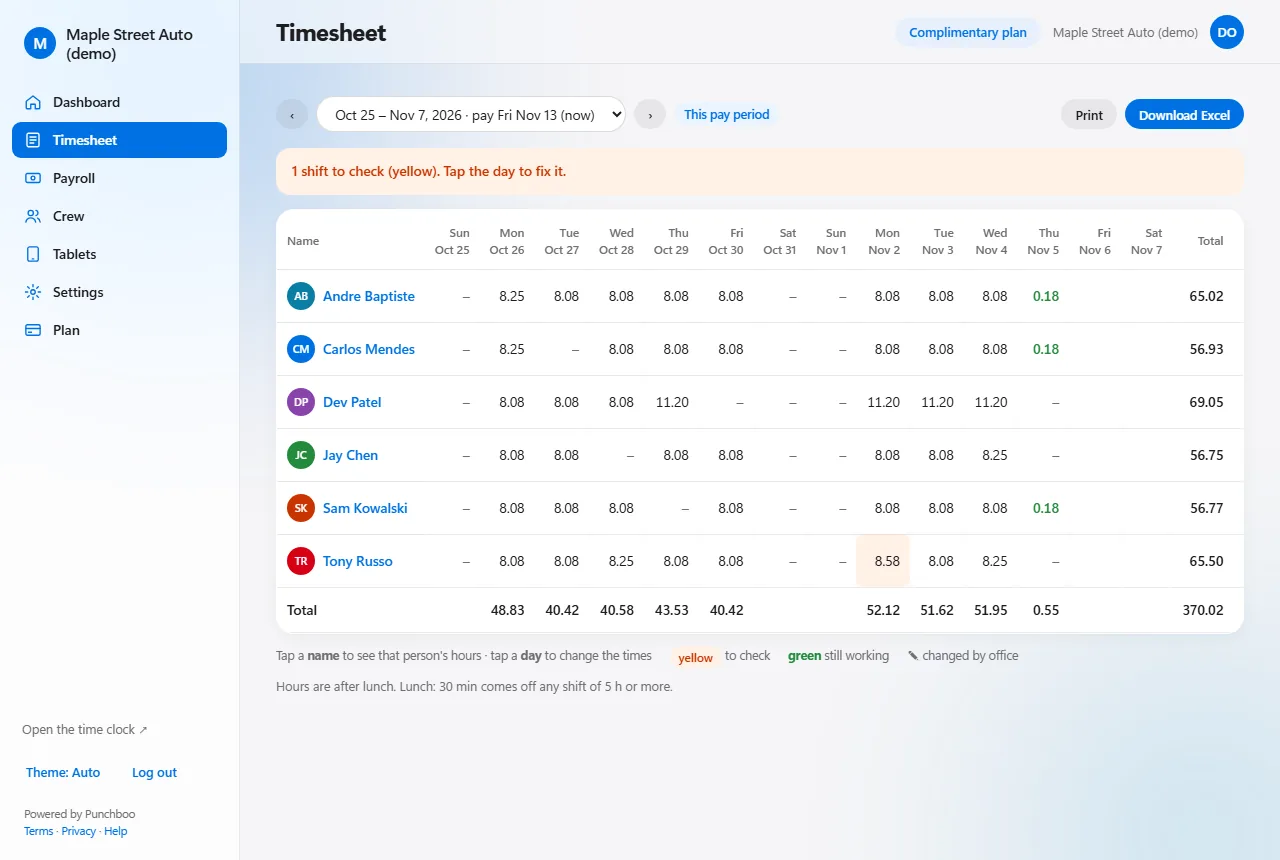
Log in from your phone or computer. The timesheet shows every day of the pay period with the hours added up. A shift that needs a look is marked in yellow: tap the day, fix the time, and the original stays on record.
- Weekly or bi-weekly pay periods, your pay day
- Forgotten punch-outs are closed and flagged for you
- Lunch comes off automatically, or the crew punches it
- Overtime rules for your province, filled in for you
Hours into pay, in one click.
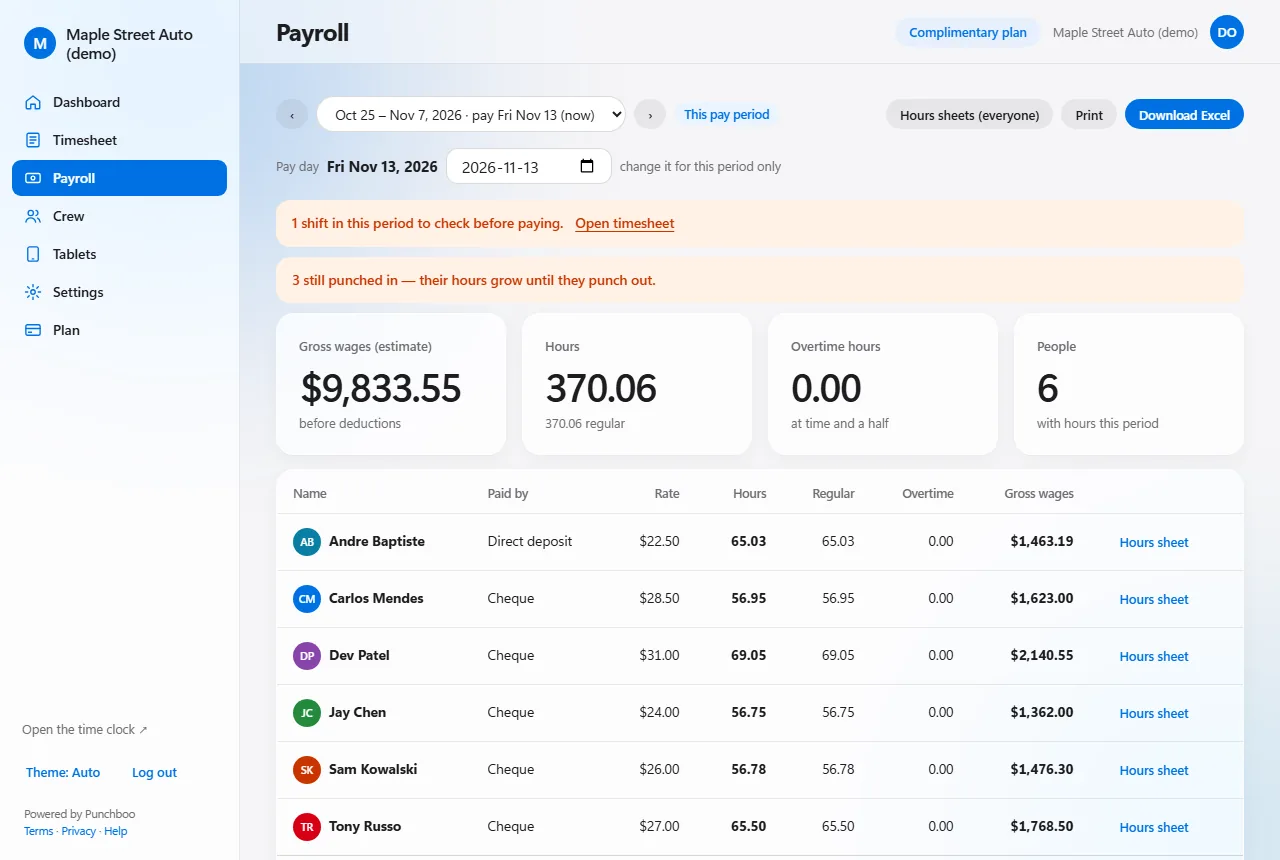
Paid plans add the payroll page: hours, overtime and a gross-wage estimate per person for the pay period, a printable hours sheet for anyone and any dates, and Excel downloads for your accountant.
- Regular, overtime and double-time hours
- Gross wages (estimate) per person and in total
- Hours sheets for any dates, showing every change
- Email alerts: late, not in, forgot to punch out (coming soon)
Punchboo is a time clock, not a payroll service. Gross wages are an estimate: it does not calculate income tax, CPP, EI, vacation or holiday pay, and it does not pay anyone. You hand the hours to your accountant or payroll service.
Everything a small shop needs. Nothing it doesn't.
Works when the internet drops
Punches are saved on the tablet with the real time and sent when the connection is back. Nobody waits, nothing is lost.
Overtime done right
Weekly and daily overtime for your province, double time where it applies. Adjust per person if you need to.
Lunch, your way
Take a set lunch off automatically, or let the crew punch it. Short or missing lunches are flagged for you.
No punching for a buddy
Crew PINs, and an optional lock so punching only works from the shop’s Wi-Fi.
Fix a punch in seconds
Change a time from your phone. The old time stays in the history, so there is never an argument later.
Free for small crews
Up to 3 active people and 1 tablet, free for as long as you like. No card to start.
Simple pricing. Everything included.
You pay by the number of active people, counted once a month. Turn someone off and they stop counting.
Prices in CAD. Over 50 people? Get a quote.
Questions shop owners ask
What tablet do I need?
Any iPad, Android tablet or Windows touchscreen from the last several years. The clock runs in the browser; there is nothing to install. Lock it to the clock with the tablet's own kiosk setting.
What happens when the internet goes out?
The clock keeps working. Punches are saved on the tablet with the exact time and sent by themselves when the connection is back.
Can employees punch for each other?
Give each person a PIN, and the tablet asks for it. You can also allow punching only from your shop's Wi-Fi.
Do you do payroll and taxes?
No. You get hours, overtime and a gross-wage estimate per person, ready to hand to your accountant or payroll service. Punchboo does not calculate tax, CPP or EI and does not pay anyone.
Ditch the paper timesheets this week.
Free for up to 3 people. No card, no calls, no sales pitch.
Create your shop, free